For vloggers shooting on Pocket 3, iPhone and Meta glasses
One shoot day 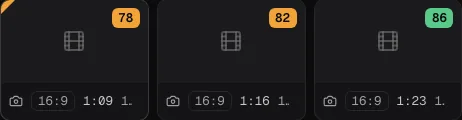 becomes Shorts
  and your vlog
  on your Mac.
clipsort sorts, scores and cuts your raw footage from Pocket 3, iPhone and Meta glasses. When it's done, it goes to Resolve and out to your channels.
- Inbox
- Scoring
- Brief → Vlog
- Shorts
- Resolve
- Publishing
In 12 seconds
From SD card to approval
Inbox, library, Shorts, brief and approval. This is the real app, not a mock-up animation.
How it works
Three steps, then the cut is in Resolve
You plug in the card. clipsort does the rest overnight, and you decide in the morning.
- 01
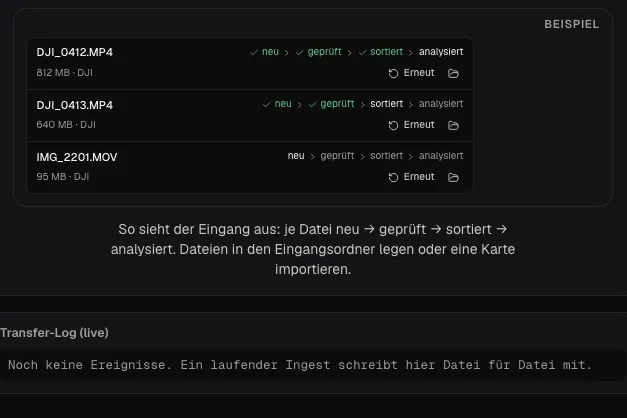
Card in, inbox sorted
clipsort detects camera, day and point of view and files every clip in the right day folder. Your originals stay untouched.
- 02
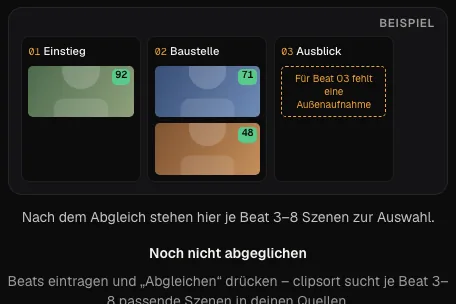
Scores and scenes that fit your topic
Every clip gets a score with a reason. You write a brief, and clipsort finds matching scenes for each section across all shoot days.
- 03
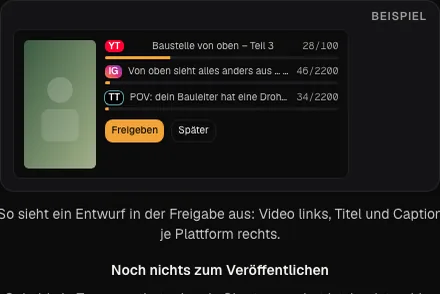
Resolve cut and publishing
The timeline lands in DaVinci Resolve with markers. Finished Shorts wait in an approval queue for your okay.
Features
Six building blocks from the real app
Each card shows a scaled-down panel from clipsort, exactly as you'll see it later.
Inbox
Cards, folders and phone uploads end up in one strip. You see what's new and what's already sorted.

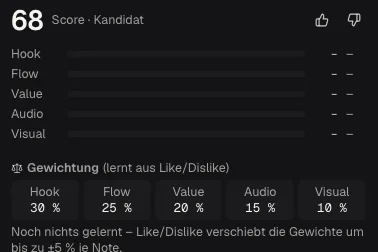
Scoring
Hook, flow, value, audio and visuals. Your thumbs up or down shift the weights.
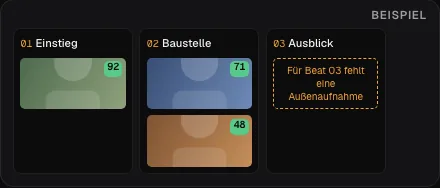
Brief → Vlog
StudioYou set the sections. clipsort shows candidates for each one and tells you which shot is still missing.
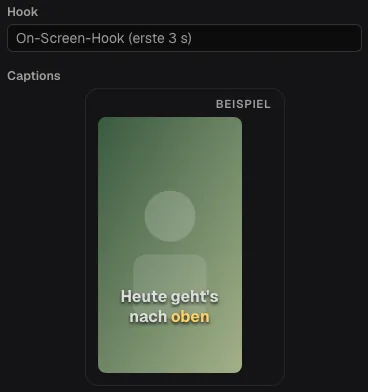
Shorts with captions
Candidates in 9:16 with safe zone, caption style and two hook variants to compare.
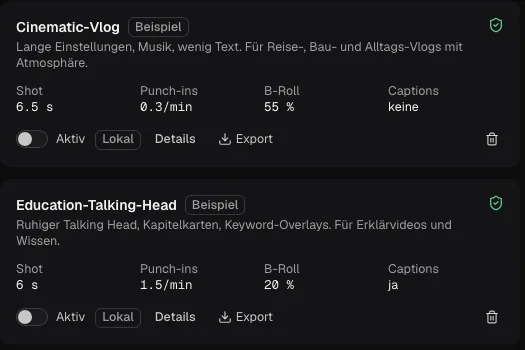
Cut agents
StudioAn editing style as a package, like Cinematic Vlog or Raw Yap. Switch it on and your briefs and Shorts follow it.
Publishing
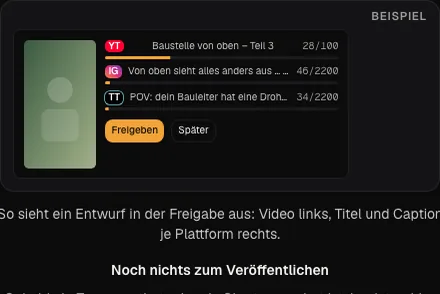
StudioYouTube directly, Instagram, TikTok and others through one service. Nothing goes out before you approve it.
Local, not cloud
Your footage stays on your Mac
Sorting, transcription and scoring run on your machine. Only the AI tasks you switch on go to the cloud, and you see the price first.
- cloud minutes for sorting, transcripts and scoring
- 0
- cloud minutes for sorting, transcripts and scoring
- AI cost per Resolve cut in edit-list mode
- ≈ $0.04
- AI cost per Resolve cut in edit-list mode
- your license keeps working offline
- 30 days
- your license keeps working offline

clipsort never uploads your video files. For AI tasks you switch on, text, measurements and single stills go to Claude.
Comparison
One app instead of three subscriptions
If you clip and schedule today, you probably pay for three subscriptions. clipsort covers that and works straight from your raw footage.
| Feature | clipsort Creator | OpusClip + Submagic + Metricool |
|---|---|---|
| Runs on your Mac | Yes | No, cloud upload |
| Sorts raw footage by day and camera | Yes | No |
| Cut from a brief across all shoot days | Yes (Studio) | No |
| Timeline straight into DaVinci Resolve | Yes, with markers | File export only |
| Unused minutes | roll over, up to twice the monthly amount | expire, depending on plan |
| Price per month | €49 | $93 |
Stack price from the vendors' pricing pages, October 2026: OpusClip Pro $29, Submagic Pro $39, Metricool Starter $25.
Pricing
Three plans, no surprises
A cloud minute is one minute of AI work in the cloud. Everything local costs zero minutes.
Local
€249 one-time
Everything that runs on your Mac. No cloud AI.
- Inbox, scoring, Shorts
- Resolve export and cut
- 1 device
Creator
€49 per month
€39 per month, billed yearly
For vloggers who publish every week.
- 300 cloud minutes per month
- Bring your own Anthropic key
- 2 devices
Studio
For pros€89 per month
€69 per month, billed yearly
Brief-based editing, cut agents and publishing to every channel.
- 1,500 cloud minutes per month
- Brief → Vlog and cut agents
- 3 devices (Mac and NAS)
Our credit rules
- Minutes don't vanish at month end. They roll over, up to twice the monthly amount.
- If a task fails, you get the minutes back.
- No automatic upgrades. When you run out, clipsort asks first.
- From 5 minutes up, you see the cost first and confirm.
Need more: 500 cloud minutes for €10.
Founder price for the first 100 on the waitlist: 20% off.
Who it's for
Built for people who shoot a lot
When your card is full after a shoot day, clipsort saves you the evening of sorting.
Vloggers with Pocket and glasses
You film all day from several angles. clipsort files everything by day and camera and finds the good moments.
Talking-head creators
One take, many Shorts. clipsort handles filler words, hook variants and captions, and you approve.
Small agencies
Several channels, one approval process. Studio runs on Mac and NAS and spreads posts across multiple profiles.
Questions
What people ask before they start
Which cameras does clipsort recognise?
DJI Osmo Pocket 3, iPhone and Meta Ray-Ban glasses are detected automatically from their metadata. Other cameras need a one-time folder or filename rule.
Do I need DaVinci Resolve Studio?
For the automatic cut, yes, because only Studio has the scripting interface. With the free version you import the FCPXML file clipsort writes for every day.
What runs in the cloud?
Only AI tasks you switch on: clip descriptions, ranking brief candidates and the edit list for Resolve. Transcription with Whisper and scoring run locally.
What does the AI cost?
Creator includes 300 cloud minutes per month, Studio 1,500. A Resolve cut costs about $0.04 in edit-list mode. With your own Anthropic key, clipsort deducts no minutes.
Does it run on a Mac or a NAS?
On any Mac with Apple Silicon. For a NAS there's a Docker version, and Studio allows three devices for that.
What happens if I cancel?
Cloud features pause at the end of your billing period. Reviewing, sorting, cutting and exporting keep working, and your footage is on your Mac anyway.
One shoot day becomes Shorts and your vlog
Sign up and we'll let you know when clipsort launches. You'll get the founder price.